Play & use online
Play free in your browser. No download.
All 11 Bright Loop games and 21 apps run right here in your browser, on your phone or your computer. 3 of the games let you play online against real people.
- Free
- No install
- Phone or desktop
- No ads
Online multiplayer
Play online with real players.
Quick matches, private room codes for friends, and ranked games. Browser and Android players share the same server, so you can play each other.
-
Online multiplayer
Pocket Break
Billiards Pool
8-ball, 9-ball and blackball. Quick match, private room codes and ranked games.
-
Online multiplayer
Ludo Rumble
Offline Dice Game
2 or 4 players, or 2v2 teams. Private room codes and ranked games.
-
Online multiplayer
Carrom Rally
Board Classic
1v1 or 2v2. Private room codes and ranked games.
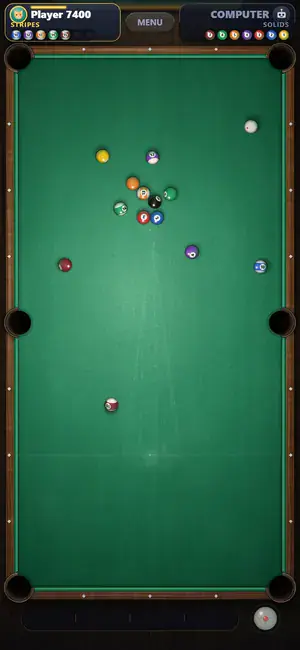
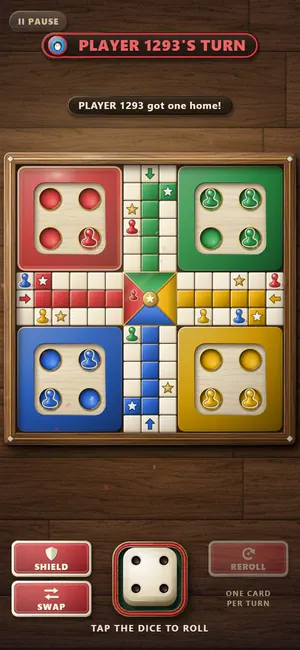
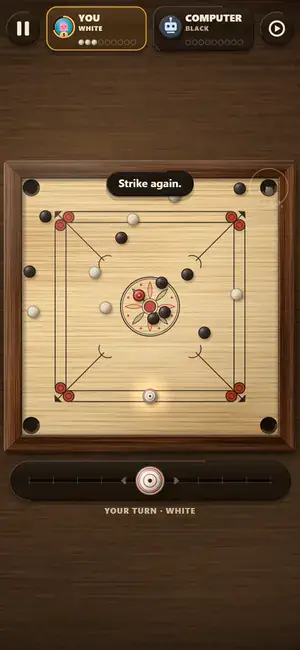
All games.
11 games, from board classics to arcade runs. Each opens in a new tab and plays straight away.
Bazaar Dash
Endless Runner · Arcade
Endless runner game: swipe, jump and slide through a night market. Grab coins!
Echo Dash
Offline Dodge Game · Arcade
Dodge your own ghosts! A one-finger arcade dodge game: grab gems, avoid echoes.

Orbit Leap
One Tap Space Game · Arcade
One tap space jump game: swing round planets, leap to the next, beat your best.
Gem Caravan
Match 3 Puzzle · Puzzle
Match 3 jewel puzzle: swap gems, make combos and blasts on a desert journey.

Last Lamplighter
Pipe Puzzle · Puzzle
Story puzzle game: rotate tiles, connect the flame and relight a dark town.
Sumtrail
Math Number Puzzle · Puzzle
Math brain game: link numbers that add up to the target. A number puzzle a day.
- Online multiplayer
Carrom Rally
Board Classic · Board & Table
Carrom online and offline: ranked 1v1 and 2v2, career, cups and trick shots.
- Online multiplayer
Ludo Rumble
Offline Dice Game · Board & Table
Ludo board game for 2-4 players: play family, friends or computer. No internet.
- Online multiplayer
Pocket Break
Billiards Pool · Board & Table
Play pool online 1v1, ranked seasons, snooker, blackball, career, trick shots.

Saffron Pass
Story Adventure · Story
Choose your path in an interactive story game: 7 days, 4 companions, 9 endings.
Stormfall Island
Battle Royale Game · Action
Offline battle royale shooter: drop in, loot, survive the storm vs 24 rivals.
Apps you can use in your browser.
21 everyday apps for money, health, productivity and more. Your data stays in your browser unless you sign in to the optional Bright Loop Account.
InvoiceSnap
Invoice Maker · Money
Make invoices, quotes and receipts as PDF. Track paid, unpaid and overdue.
PocketCFO
Budget & Expenses · Money
Track spending, budgets, bills and debts, and see what is safe to spend today.

SplitMate
Bill Splitter · Money
Split bills with flatmates, trips and family in any currency. Settle up fast.

SubZero
Subscription Tracker · Money
Track subscriptions, bills and EMIs: due reminders, calendar, savings, budgets.
Drift
Sleep Calculator & Diary · Health & Fitness
Bedtime calculator, weekly sleep schedule, sleep sounds, sleep diary and trends

GlowOS
Skincare Routine Tracker · Health & Fitness
AM/PM skincare checklist, product shelf & wishlist, skin cycling, photo diary

IronOS
Gym Workout Log · Health & Fitness
Log sets fast, supersets, progression hints, rest timer, 1RM and body stats

SnapMacro
Calorie Counter · Health & Fitness
Calorie and macro counter with 600+ world foods, exercise log and fasting timer.

DocClean
Document Scanner · Productivity
Scan documents, receipts and ID cards to PDF. Crop, straighten, clean. Offline.
EchoNote
Voice Journal & Tasks · Productivity
Talk or type your day. Tasks, due dates, ideas and mood are picked out for you.
RitualOS
Habit Tracker · Productivity, Health & Fitness
Track habits and streaks, and run timed morning, evening and workout routines.
SafeKeep
Expiry Date Tracker · Productivity, Security
Passport, ID, insurance & warranty expiry reminders. Private, kept on your phone
Unplug
Focus Timer & Sounds · Productivity
Pomodoro focus timer with offline background sounds, daily goals and a heatmap
OmniCalc
Calculator & Units · Utilities
Scientific calculator, unit converter, EMI, hours, GPA and your own formulas.
QRForge
QR Maker & Scanner · Utilities
Make QR codes for links, Wi-Fi, contacts and more, print stickers, scan codes.

NetPulse
Internet Speed Test · Utilities
Test download, upload, latency, jitter and bufferbloat. Track Wi-Fi over time.
KeyForge
Authenticator & Password Maker · Security
2-step verification codes and strong password generator. Offline, PIN locked.

NoorPro
Prayer Times & Qibla · Faith
Offline prayer times, Qibla, iqamah, reminders, Hijri calendar, fasts and zakat

LingoPulse
Travel Phrasebook · Learning, Travel
Offline phrases in 6 languages with flashcards, quizzes and spaced repetition.

PulseRead
Speed Reading · Learning
Read one word at a time, import TXT and EPUB, track streaks and practise pace.

TripPilot
Trip Planner · Travel
Offline trip planner: itinerary, ideas, bookings, packing lists and budget.
Questions.
Does it work on my phone?
Yes. Every game and app runs in a modern browser on phones, tablets and computers, including Chrome, Safari, Edge and Firefox. There is nothing to download or install.
Is my progress saved?
Yes, in the browser you play in, on that device. Clearing your browser’s data for the site erases it. Where a game or app offers the optional Bright Loop Account, sign in to back up your progress and sync it with your other devices.
Can I buy things in the browser?
No. Purchases, Pro subscriptions and in-app items are only available in the Android apps, through Google Play. The browser versions are free.
Do I need an internet connection?
For online multiplayer, yes. The other games and the apps keep working offline in the browser once they have loaded; you only need a connection for optional account sync.
Can browser players play against Android players?
Yes. The browser versions of Pocket Break, Ludo Rumble and Carrom Rally use the same online server as the Android apps, so quick matches, room codes and ranked games mix browser and app players.
What works only in the Android app?
Purchases, plus a few phone features such as notifications, sharing and camera scanning. Everything else is the same game or app.
Why does each one open on its own address?
Each game and app runs on its own address (for example snapmacro.play.brightloop.world), so its saved data stays separate from the others.
Prefer the app? Every product page explains how to get the Android app through Google Play early access, or install the APK.