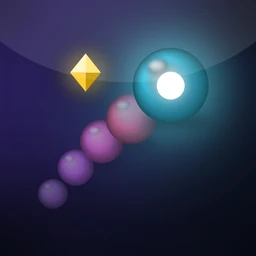
Echo Dash
Offline Dodge Game · Bright Loop
Dodge your own ghosts! A one-finger arcade dodge game: grab gems, avoid echoes.
Early access runs as a Google Play closed test. Your Google account must be on the tester list first — see how to join.
See it in action. Steering the bead through every gem while the echoes of earlier rounds replay.
A closer look.
6 screens from the current version. Select one to view it larger.
About Echo Dash.
Echo Dash is an offline arcade dodge game with a twist: the obstacles are your own past moves. Grab the gems, survive the round, then dodge a ghost of the path you just took. It's a quick, one-finger reflex game for short breaks, and you can play it without Wi-Fi.
You are your own worst enemy.
In Echo Dash you drag a glowing dot around the arena and grab every gem to finish the round. Easy? The next round, a ghost of your last run replays the exact path you just took. Then another. And another. Touch any of your echoes and the run is over.
Every move you make now becomes an obstacle later, so think about where you go, not just how fast.
Key features.
Everything Echo Dash does today, from its store listing.
How to play
- Drag anywhere on the screen to move
- Collect all the gems to finish a round
- A new echo of your last round joins each time
- Never touch an echo
Daily Echo
- One fresh set of gem layouts every day, the same for every player.
- One life per attempt, unlimited tries: beat your daily best, build your streak and share your score.
Styles
- Prism, the original cyan glass look, is free.
- Four more looks for your bead, its trail, your echoes and the arena: Ember, Aurora, Ivory and Neon Rain.
- Styles are cosmetic only. They never change the game, and the Daily Echo is the same for everyone.
Features
- One-finger controls that work anywhere on the screen
- A new idea: the level is built from your own moves
- Quick gems give bonus points
- Rounds get more crowded the longer you survive
- Plays offline, no account needed
- Small download
- Optional in-app purchases: cosmetic styles only
How many echoes can you survive?
Try it now.
Open Echo Dash in your browser, or download the Android app file directly.
Play in your browser
The full Echo Dash game, running in a new tab. Nothing to install.
Some phone-only features, such as purchases, notifications, sharing and camera scanning, work only in the Android game. Anything you do in the browser is saved in that browser only.
Play Echo Dash in browser: Echo Dash, opens in a new tabDownload the APK
Install Echo Dash on an Android phone without Google Play.
- Version
- 1.2.1
- File
- echo-dash-1.2.1.apk
- Size
- 4.1 MB
- SHA-256
910b04e629e36f88a2906f14378adaef4b5f3b21ca853570ca6b96067b4ae332
An APK installed from this website can’t be updated from Google Play later. To switch to Google Play, uninstall it and install from Play. Game progress is lost when you uninstall. How to install and verify an APK
Download APK (4.1 MB)Requirements & details.
- Requires
- Android 7.0 or later
- Size
- 4.1 MB (APK)
- Version
- 1.2.1
- Price
- Free to play, optional in-app purchases
- Internet
- Not required — works offline
- Account
- None
- Ads
- None
- Category
- Arcade
- Languages
- English, Spanish, Portuguese, Indonesian, Turkish and Hindi
- Availability
- Early access (Google Play closed testing)
- Web version
- Open in browser (opens in a new tab)
- Made by
- KRA Digital, as part of Bright Loop
How to get Echo Dash.
Echo Dash is in early access through Google Play closed testing. It takes about two minutes once you’re on the tester list.
- Ask to join the tester listEarly access runs as a Google Play closed test, so your Google account must be on the tester list before the opt-in link works. Send us the Gmail address you use on Google Play and we'll add you.
- Open the opt-in linkOn your Android phone, signed in to the same Google account, open the Echo Dash early access link (opens in a new tab).
- Tap “Become a tester”Google Play confirms that you’ve joined the test.
- Install from Google PlayUse the “download it on Google Play” link on that page, or open the Google Play page (opens in a new tab), then tap Install. Updates arrive through Google Play like any other game.
- Tell us what you thinkEarly access means your feedback shapes the next update. Email support@kradigital.com any time.
Link not working? See Troubleshooting (opens in a new tab) or the early access guide (opens in a new tab) on the Bright Loop website.
Privacy.
Echo Dash has no account, no ads and collects no personal data. Your progress is saved on your phone.
What Echo Dash stores
Your profile, scores, records, achievements and progress are saved only on your phone. Uninstalling the game or clearing its storage erases them.
Purchases
Google Play processes every purchase. Payment details are never shared with the game; Google Play only tells it whether a purchase went through.
Read the full Bright Loop Privacy Policy (opens in a new tab).
Questions.
Is Echo Dash free to play?
Yes. Echo Dash is free to download and play. It has optional in-app purchases through Google Play.
Why can’t I find Echo Dash on Google Play?
Echo Dash is in early access (a Google Play closed test), so it only appears for people on the tester list. Follow the steps under How to get it. Once it becomes public, anyone can install it from Google Play.
Does Echo Dash work offline?
Yes. Echo Dash works without an internet connection.
Do I need an account?
No. Echo Dash has no account and no sign-in. Your progress is saved on your phone.
How do I move to a new phone?
Echo Dash saves progress only on your phone, so it doesn’t move to a new one. Purchases do: install the game with the same Google account and tap Restore purchases.
How do I restore a purchase?
Make sure your phone uses the same Google account you bought with, open Echo Dash and tap Restore purchases. Google Play checks your purchases and Echo Dash unlocks what you own.
Can I use Echo Dash in a browser?
Yes. Open it in your browser (opens in a new tab) to run it in a new tab. Some phone-only features, such as purchases, notifications, sharing and camera scanning, work only in the Android game, and anything you do there is saved in that browser.
Can I install it without Google Play?
Yes, with the APK on this page (version 1.2.1, 4.1 MB). An APK install can’t be updated from Google Play later; see Install an APK on Android.
What do I need to run it?
Android 7.0 or later, or any modern browser for the web version.
Is it available on iPhone?
There’s no iPhone app at the moment. Echo Dash is made for Android, but you can open the web version in Safari.
Get help with Echo Dash.
Product support
Send us a message or email support@kradigital.com. Include your phone model, Android version and what happened.
Help Centre
Guides for early access, sync, backups, purchases and moving phones on the Bright Loop website (opens in a new tab).
Need something custom?
KRA Digital designs and builds apps like this for businesses. Talk to KRA Digital
More games to play
 Orbit LeapOne tap space jump game: swing round planets, leap to the next, beat your best.
 Bazaar DashEndless runner game: swipe, jump and slide through a night market. Grab coins!
 Saffron PassChoose your path in an interactive story game: 7 days, 4 companions, 9 endings.
 Stormfall IslandOffline battle royale shooter: drop in, loot, survive the storm vs 24 rivals.